Structured ingestion
Load and type CMS MCQM source files into consistent warehouse tables.
Enterprise Application
Turn Medicare quality measure files into structured, beneficiary-level intelligence for MSSP operations.
Medicare CQMs brings CMS quality measure results into a transparent model that can be joined to the rest of your ACO data.
CMS Medicare quality measure files contain beneficiary and measure-level results that are essential to understanding MSSP quality performance, but the raw files are difficult to use alongside claims, attribution, and provider data.
Tuva structures those files in your warehouse so analysts can inspect measure results, connect them to the attributed population, and build repeatable monitoring and reporting workflows.
Inside the application
01 / 03
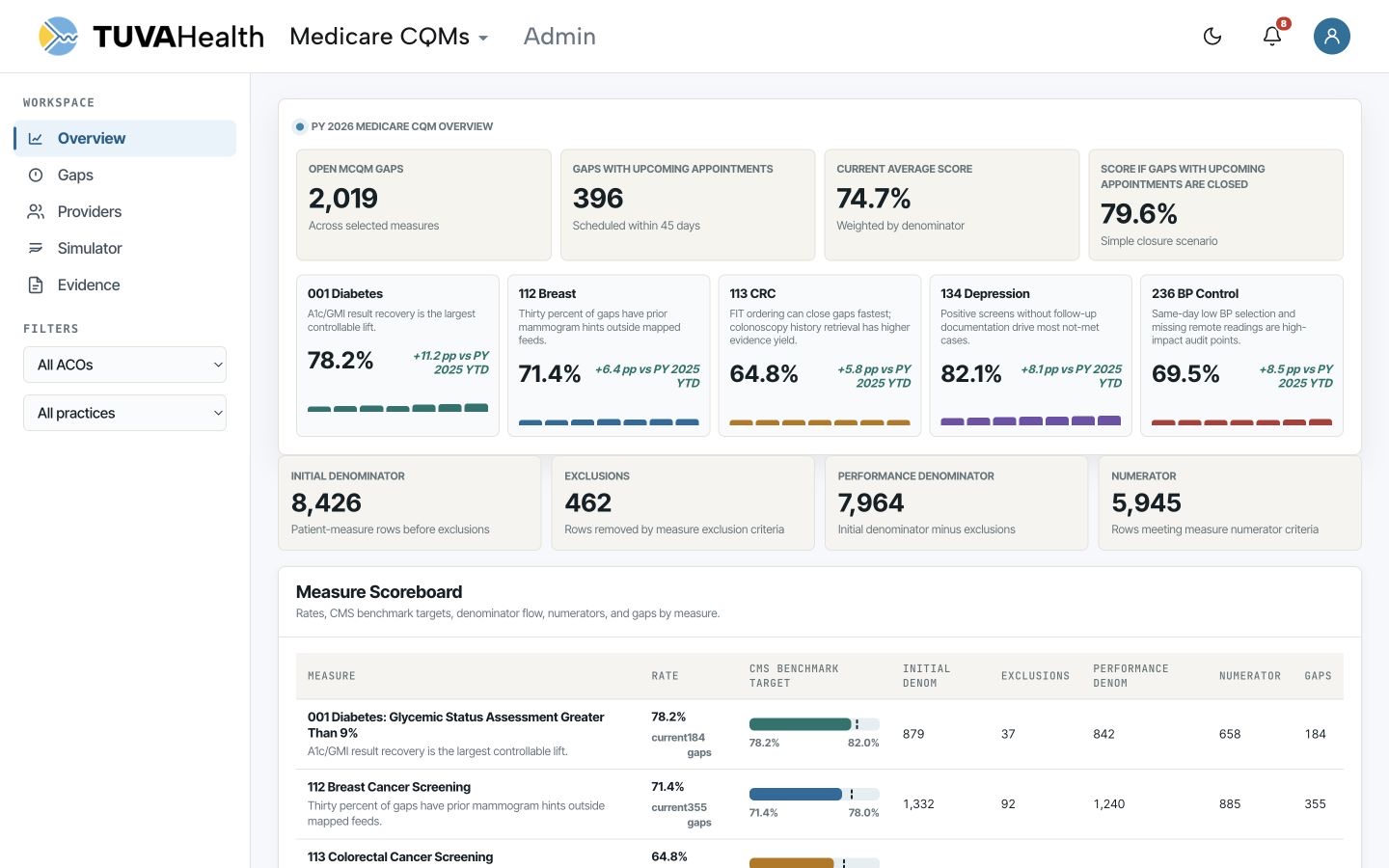
Track open gaps, upcoming appointments, current performance, and the effect of closing reachable opportunities.
The overview gives ACO teams a shared starting point for gaps, providers, simulation, and evidence.
Application views
Make Medicare quality measure data usable across analytics, reporting, and improvement programs.
Load and type CMS MCQM source files into consistent warehouse tables.
Analyze results by beneficiary, measure, performance period, and population.
Connect quality results to assignment, claims, participant, and provider data.
Build durable monitoring outputs as new CMS files and performance periods arrive.
Replace manual file handling with a transparent, repeatable data workflow.
Bring MCQM reports from the CMS Datahub into your cloud data warehouse.
Apply consistent types, naming, and measure-level structure to the source files.
Join quality results to the rest of your MSSP data and publish reporting-ready outputs.
Walk us through your MSSP quality reporting workflow and we’ll show how Medicare CQMs can fit into the same Tuva foundation.