Probabilistic matching
Tune scoring, blocking, and thresholds to the realities of your source data.
Enterprise Application
Resolve fragmented patient records into one transparent, trusted identity inside your data warehouse.
Tuva EMPI brings patient matching, review, and identity outputs into the same workflow as the rest of your healthcare data platform.
Patient records are fragmented across EHRs, claims, labs, and other systems, each using different IDs and inconsistent demographics. Tuva EMPI links those records, assigns a persistent identity, and writes resolved identities back into your analytics workflows.
The application is warehouse-native and transparent. Your team keeps data in its own environment, can inspect the matching logic, and avoids standing up a separate black-box identity platform.
Inside the application
01 / 03
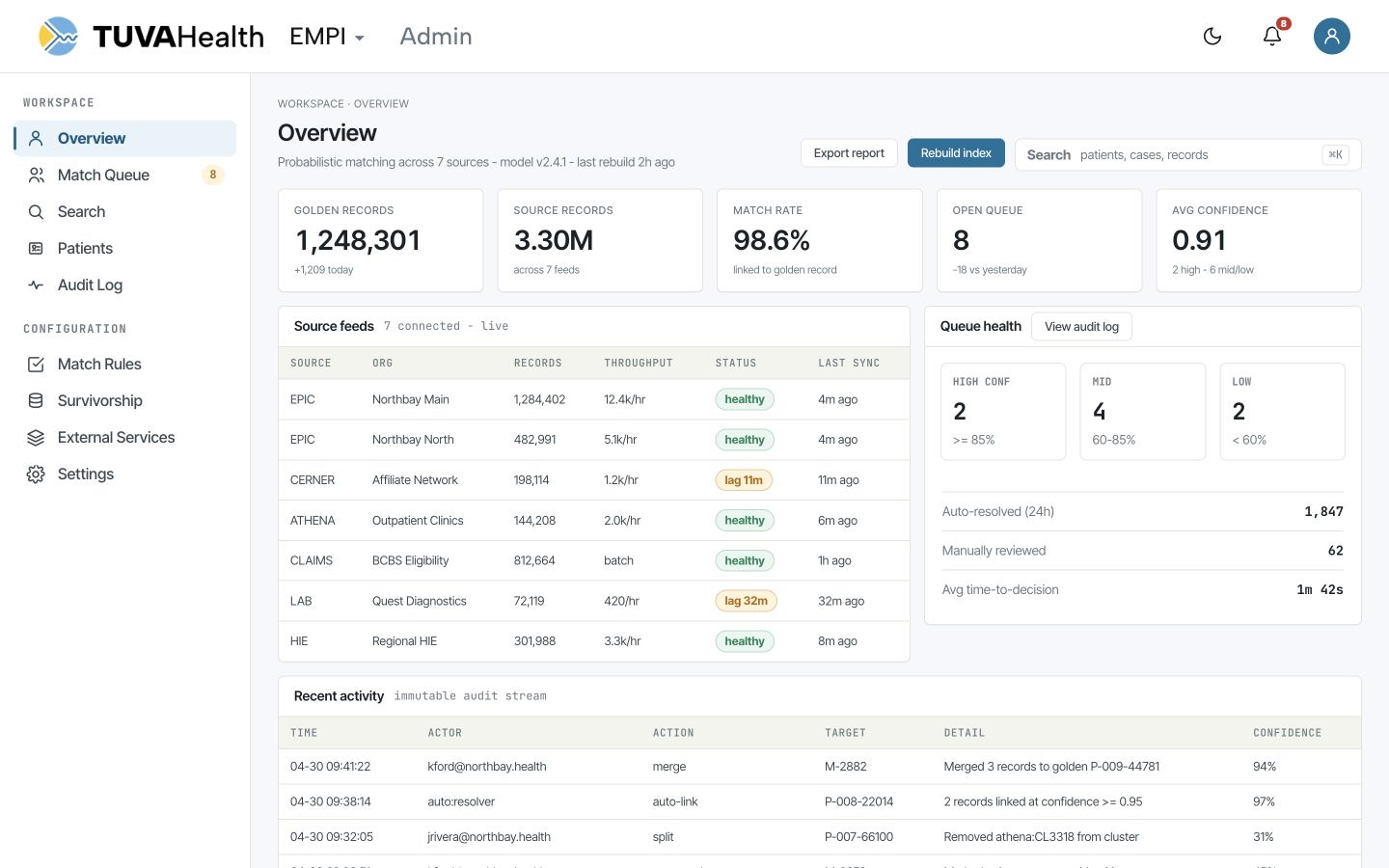
Monitor matching performance, feed health, review queues, and identity decisions from one workspace.
The overview keeps throughput and confidence visible without hiding the decisions behind the result.
Application views
Own the full identity workflow, from probabilistic matching through governed production outputs.
Tune scoring, blocking, and thresholds to the realities of your source data.
Create durable EMPI IDs and crosswalks that downstream marts can reuse.
Publish resolved demographics and person-level attributes for trusted analytics.
Manage match and split decisions with manual review queues and a complete audit trail.
Move from source records to governed identity without leaving your warehouse.
Deploy the package and tune matching inputs, thresholds, and blocking rules.
Run identity resolution, inspect candidate pairs, and manage exceptions.
Use persistent IDs and golden records across Tuva marts, reporting, and applications.
Bring a representative set of patient sources and we’ll map the fastest path to a trusted longitudinal identity.